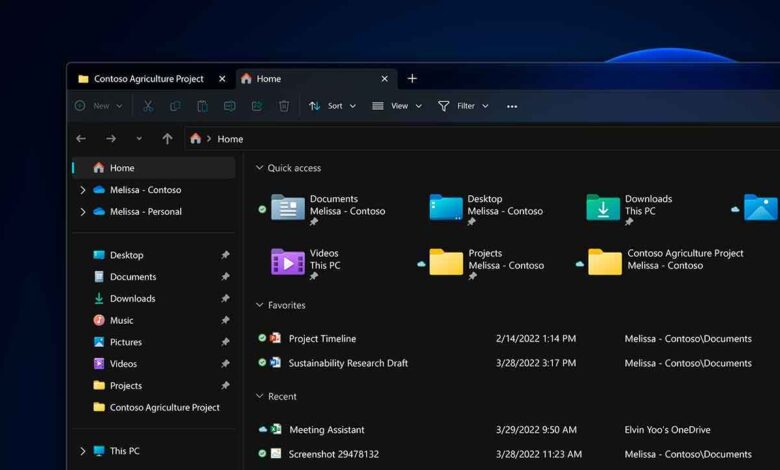
Many people don’t realize how often they use a file manager in their everyday computer routines. Yet even a slight delay when opening a folder can be irritating and disrupt the usual workflow. That’s why the developers of Windows 11 decided to rethink how File Explorer launches by introducing a new feature that could transform the user experience.
Background loading: What will change for users
A new feature in the Windows 11 test build allows File Explorer to be preloaded into RAM immediately after logging into the system. This means that, on first use, the file manager will open almost instantly—eliminating the usual delays. For now, this update is available only to participants in the Insider Canary program, but it may become available to all users in the future.
The feature is enabled automatically, but users can turn it off in the settings if they wish. This approach lets you tailor the system to your individual needs, without forcing changes on those who prefer to conserve device resources.
Reasons for the changes and user reactions
Since the revamped Windows 11 interface was released, many users have complained about slower File Explorer performance. Despite visual improvements and new features, speed has remained a concern even on modern hardware. Microsoft carefully reviewed user feedback and chose to focus on optimizing internal processes—without changing the program’s appearance.
The background launch of the file manager is expected to make it more responsive, especially after rebooting or powering on the device. This should improve the overall smoothness of the system and make file interactions more comfortable.
Pros and cons of the innovation
The main advantage of the new feature is a noticeable reduction in wait time when launching File Explorer for the first time. Users will be able to start working with documents and folders faster, without getting distracted by technical details. This will be especially appreciated by those who often open new windows or work with a large number of files.
However, this approach also has a downside. On devices with limited RAM, the additional load can lead to decreased performance of other programs. Moreover, not all users need instant access to the file manager right after system startup, which means background loading isn’t always justified.
Flexible settings and the future of the feature
Microsoft has provided an option to disable the new feature for those who prefer to control resource usage. This solution avoids imposing changes and gives users the freedom to choose. The company emphasizes that such experiments are aimed at finding the optimal balance between speed and system efficiency.
It is still unknown when the feature will become available to the general public. Developers are continuing to collect feedback and analyze how the new functionality affects various types of devices. It is quite possible that the final version will include additional settings or recommendations for using background downloads.
Alternative solutions for dissatisfied users
For those unwilling to wait for the official release or dissatisfied with the current speed of Explorer, alternative options are available. For example, you can use the classic file manager from Windows 10, which is more stable and offers a familiar interface. This approach allows you to maintain a comfortable workflow without switching to experimental features.
In any case, the changes to Explorer demonstrate Microsoft’s commitment to making Windows 11 more user-friendly and modern. The company continues to seek ways to improve performance, while keeping the needs of different user groups in mind.
In case you didn’t know: what’s behind the name Microsoft
Microsoft is one of the world’s largest technology corporations, founded in 1975 by Bill Gates and Paul Allen. The company is known not only for its Windows operating system, but also for Microsoft Office, its Azure cloud services, and its Xbox gaming division. Over the decades, Microsoft has repeatedly changed its approach to software development, introducing innovations and responding to market demands. Windows 11 marks the latest step in the platform’s evolution, offering a redesigned interface, enhanced security, and new productivity tools. In recent years, the company has been actively developing artificial intelligence and cloud technologies, aiming to maintain its leadership in the rapidly changing digital landscape. Despite criticism of some decisions, Microsoft remains a key player in the software market and continues to shape the industry’s future.