The built-in internet speed test in Windows 11 has become Microsoft’s unexpected response to frequent user complaints. Now, you no longer need to search for third-party services to check your connection quality—just click on the network icon. This solution immediately changed the approach to diagnosing internet issues, as similar tasks previously required more time and effort. The new feature quickly helps determine where exactly the problem occurred: in your home network or on the provider’s side.
The appearance of this option in the system is no coincidence. Over the past few years, Windows 11 has repeatedly faced criticism for its complex interface and unclear changes to familiar elements. Many have noted that useful tools disappeared after updates, while new features did not always meet expectations. This time, Microsoft decided to focus on simplicity and convenience to win back the trust of users tired of constant design experiments and tweaks.
As MuyComputer reports, the speed test launches through the browser, avoiding additional processes that could load the system. This is important for laptop owners and those with low-powered devices, where every megabyte of memory matters. The feature doesn’t run in the background and doesn’t affect CPU load unless actively used. This approach reduces the risk of new performance issues that often accompanied previous Windows 11 updates.
Changes in detail
Update KB5077241 brought not only the speed test, but also other improvements. In particular, the way the taskbar works with a large number of open windows has changed. Now, if there are too many applications, only those that really don’t fit move to the overflow area, not all at once. This enhances visual clarity and makes window management more predictable.
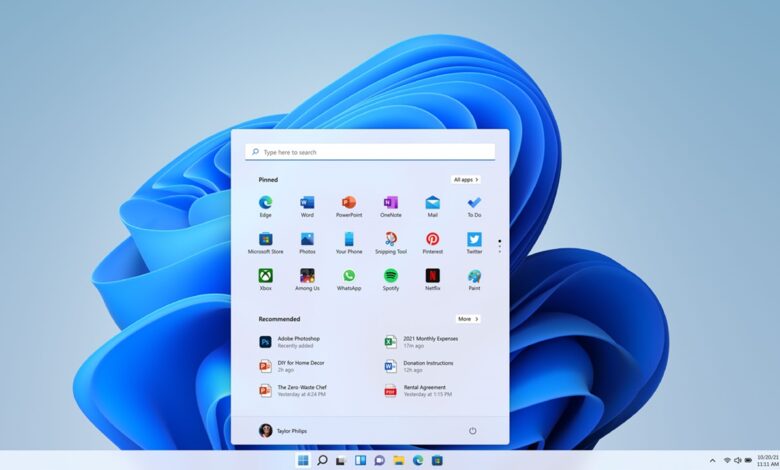
Additionally, the system now supports Sysmon, includes new camera controls, and offers refinements to the Start menu. Minor bugs in the file explorer that have irritated users since the launch of Windows 11 have also been fixed. All these changes are aimed at making everyday computer use less tedious and more intuitive.
The question about the impact of these new features on system stability remains relevant. Many users worry that another update may lead to crashes or slowdowns. However, according to MuyComputer, the speed test integration has been implemented as carefully as possible. The program does not consume resources unless it is running and does not interfere with other applications. This is especially important for those working with demanding tasks or using older computers.
Practical benefits
For most users, the built-in speed test is not just a convenience, but a genuine time-saver. When internet issues arise, there’s no need to open dozens of tabs searching for a suitable service. A couple of clicks is all it takes to get the information you need and decide whether to call your provider or check your router settings.
This approach reflects Microsoft’s new strategy: the company aims to make Windows 11 more self-sufficient and less reliant on third-party programs. This is especially noticeable compared to previous years, when many basic tasks required additional utilities. Now the system is gradually reclaiming features once considered optional, but that have proven necessary in practice.
The introduction of a built-in speed test isn’t a revolution, but it’s an important step towards making users less dependent on external services. This decision could set an example for other developers, who often overlook simple but essential tools. In an environment where stability and convenience are top priorities, such changes are especially significant.
Reactions and expectations
The introduction of new features always sparks debate. Some believe that Microsoft has finally listened to its customers and started bringing back useful tools. Others fear that even minor changes could lead to new bugs or conflicts with existing software. Recent years have shown that any innovation in Windows 11 is met with caution, especially following a series of unsuccessful updates.
Nevertheless, the built-in speed test has already been appreciated by users who often deal with unstable internet. For them, the ability to quickly check their connection without extra steps has become a real lifesaver. Others are waiting to see how the system behaves after the latest update and are not rushing to make conclusions. Time will tell how successful this step by Microsoft proves to be.
Windows 11 is an operating system developed by Microsoft and released in 2021. Over its existence, it has undergone numerous changes related to interface, performance, and security. The system targets a wide range of users, from home to corporate, and regularly receives updates aimed at improving stability and expanding capabilities. In recent years, Microsoft has been actively adding new features to make working with Windows 11 more convenient and up to date.