Spanish drivers use digital maps daily to navigate the country’s roads. These apps help not only to find the right addresses but also to receive up-to-date traffic information. However, not all services are equally convenient, and some offer additional features that can prove quite useful.
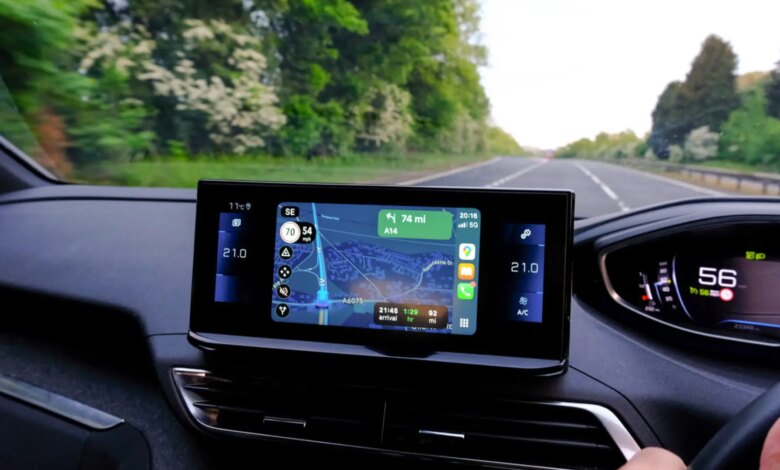
One such feature is displaying your current speed. In the Waze app, this parameter is always available, regardless of whether a route is set. This is especially important for those who prefer to choose their own path instead of using automatic route guidance. Drivers note that being able to see their speed helps them better control their driving and avoid violations.
Unlike Waze, Google Maps does not show your speed unless navigation mode is activated. Many users prefer to mark a route without launching navigation, so they can freely explore the area and check alternative roads. In this situation, the lack of speed information is seen as a drawback.
As for measurement accuracy, Google Maps determines your speed using GPS data. This method gives results that are as close to reality as possible, since standard car speedometers often overestimate the readings. As a result, drivers can more accurately observe speed limits and reduce the risk of fines.
To display speed camera information in Google Maps, you need to follow a few simple steps. First, open the layers menu located at the top of the screen. Then, in the “Map details” section, select “Traffic.” After that, simply enter your destination and start navigation. Icons will appear along your route indicating fixed cameras, as well as mobile radars reported by other users.
Thus, the choice between Waze and Google Maps depends on individual preferences and needs. For users who value constant access to speed and radar information, Waze may be the more suitable option. At the same time, Google Maps remains one of the most popular tools for planning trips around Spain.