
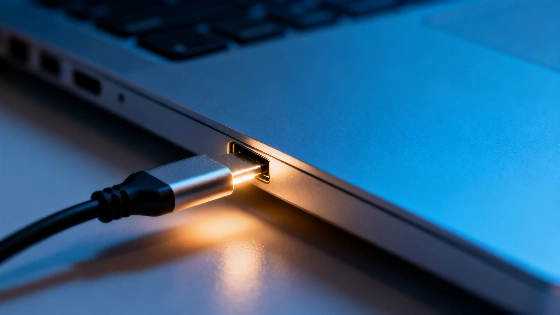
If your USB-C cable charges or transfers data differently depending on its orientation, the issue likely lies with the cable, the port, or their contacts. Understanding what causes these inconsistencies can help you avoid slow charging and unreliable connections.
Plugging in a USB-C cable is supposed to be simple: no more guessing which side is up, no more fumbling with the connector. Yet, some users notice that flipping the cable changes how fast their device charges or how quickly files transfer. This isn't just an annoyance—it can signal a deeper problem with your cable, port, or both.
USB-C was designed to end the frustration of one-way-only connectors. The USB Implementers Forum (USB-IF) highlights its reversible design and support for high-speed data and power delivery. But in practice, not every USB-C cable or port delivers the same experience. If your phone or laptop charges faster in one orientation than the other, it's not because there's a 'right side'—it's a warning sign that something isn't working as intended.
Hidden Complexity
Inside every USB-C connector are multiple lines for power, data, and device communication. According to Texas Instruments, the CC (Configuration Channel) lines help devices detect cable orientation and manage current flow. Ideally, this system should make orientation irrelevant. But if a contact is dirty, worn, or poorly manufactured, one direction may work better than the other. Low-quality cables and ports that have seen heavy use are especially prone to these issues.
It's also important to remember that maximum charging speed isn't guaranteed just because a connector is USB-C. Fast charging requires the charger, cable, and device to all support USB Power Delivery (PD). The latest USB PD 3.1 standard can deliver up to 240W, but only with properly certified cables and connectors. If any part of the chain falls short, performance drops.
Spotting the Signs
Flipping your USB-C cable can be a quick diagnostic tool. If your device charges normally in one orientation but slows down, disconnects, or fails in the other, that's a clear sign of trouble. The same goes for data transfer: if an external drive or USB-C flash stick suddenly crawls when plugged in a certain way, suspect the cable, the port, or the contacts inside.
In a healthy USB-C setup, orientation should never affect charging or data speeds. When it does, the culprit is usually a subpar cable, a worn-out port, or a lack of proper certification. It's a reminder that not all cables are created equal—even if they look identical.
Choosing the Right Cable
To avoid these headaches, pay close attention to the specs when buying a USB-C cable. The USB-IF requires compliant USB-C to USB-C cables to be clearly marked with their supported wattage—either 60W or 240W. Cables that aren't USB 2.0 should also indicate their maximum data speed. This explains why two cables that look the same can behave very differently: one might charge your phone but fail to power a demanding laptop, or offer fast charging but slow data transfer.
The safest approach is to use certified cables, check their power ratings, and replace them if you notice inconsistent charging or connection issues when moving or flipping the cable. USB-C was meant to simplify our digital lives, but its real-world reliability depends on the quality and condition of every component in the chain.
For those who rely on their devices daily, small hardware issues can have outsized effects. Just as Spanish police now use digital records to instantly check if your car's ITV is expired—a process that can lead to fines or immobilization if overlooked—overlooking the health of your USB-C cables and ports can quietly undermine your tech's performance. Learn how digital checks are changing everyday routines in Spain.