Spanish drivers actively use various applications to navigate the country’s roads. Among the most popular services are Waze and Google Maps. Both apps provide basic route information, but differences in their additional features are decisive for many users.
One of the key features of Waze is its ability to display vehicle speed even when no route is set. This is especially convenient for those who prefer to choose their own path without using automatic route planning. In this mode, the app continues to show the current speed, allowing drivers to better monitor compliance with speed limits.
Unlike Waze, Google Maps does not display the speed of the vehicle if no destination point is set and navigation has not started. Many drivers note that they miss this option, as it helps when traveling in unfamiliar areas and responding promptly to changes in road conditions.
Google Maps, when no active route is set, only provides information about the quickest route, possible alternatives, and estimated travel time. The speedometer function becomes available only after navigation begins. For some users, this causes certain inconveniences, especially during short trips or when exploring new areas.
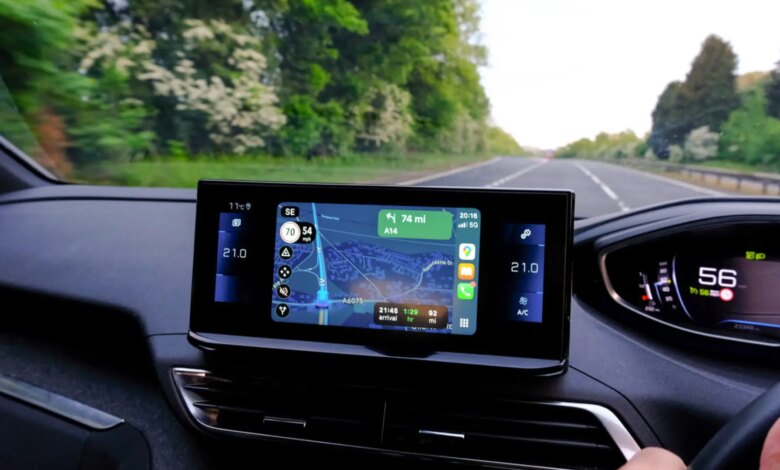
The accuracy of the speedometer in Google Maps is based on GPS data. The app analyzes the movement of the device over a certain period of time and displays a speed reading that is often closer to the actual value than the readings of standard car instruments. This is because factory speedometers typically overstate values slightly to provide an extra margin of safety.
Using a GPS speedometer helps drivers comply with speed limits more accurately and reduces the risk of getting fined. Additionally, it promotes safer driving habits, as the driver is always aware of their speed.
To display information about speed cameras in Google Maps, you need to follow a few simple steps. First, open the layers menu at the top of the screen. Then, in the “Map details” section, select “Traffic.” After this, when you start your route, icons of stationary cameras will appear on the map as orange circles with a camera image inside.
In addition to fixed cameras, the app also notifies users about mobile speed radars, which are marked with a blue icon and the time of the latest update. This data is provided by Google Maps and Waze users, ensuring up-to-date information along the route.
Ultimately, the choice between Waze and Google Maps depends on the individual preferences and needs of the driver. Some value the ability to see their speed at any time, while others prioritize detailed information about traffic conditions and speed cameras. Both apps continue to evolve, offering new tools to enhance comfort and safety on Spanish roads.