

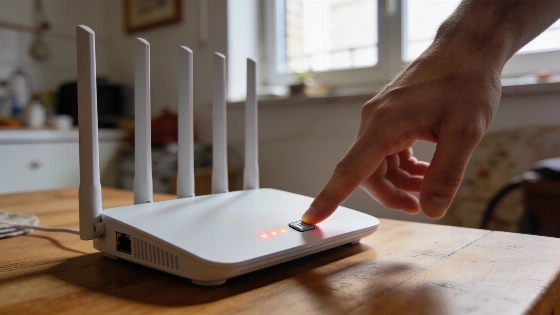
A single press on the wrong button can erase your Wi-Fi settings and disconnect every device in your home. Knowing the difference between restarting and resetting your router is crucial to avoid unnecessary headaches and lost connections.
Pressing the wrong button on your router can erase all your custom settings and knock your home offline. Many people mix up the power and Reset buttons, only to find themselves rebuilding their Wi-Fi network from scratch. It’s an easy mistake that can mean hours without internet and a scramble to recover lost passwords and network names.
If your internet suddenly drops and every device loses connection, the usual advice is to restart the router. Vodafone and Movistar both suggest unplugging the device, waiting a few seconds, and plugging it back in. This interrupts the router’s operation, clears out temporary glitches, and keeps your personalized settings intact. The lights will blink as it reboots, and if the problem was just a minor freeze, your connection should come back without much fuss.
According to a 2023 report by the Spanish National Cybersecurity Institute (INCIBE), accidental router resets are among the top five causes of home network outages in Spain.
The Reset button, usually tucked away on the back, is a different story. TP-Link’s manuals warn that holding this button for more than ten seconds will restore factory settings. That wipes out your Wi-Fi name, password, and any other changes you’ve made. Vodafone’s guides confirm that a factory reset will revert the network name and force all devices to reconnect using the original credentials printed on the router. Some models, like the ZTE ZXHN F6600P, use the same button for both restart and reset: a quick press restarts, but a long hold erases everything. The only way to be sure is to check your router’s manual or the label next to each button.
It’s easy to mix up these controls. Many routers have separate buttons for power, Wi-Fi, WPS, and Reset, but they often look similar. Pressing the Wi-Fi button just turns off the wireless signal; it doesn’t reboot the device. Always check the label before pressing anything, especially when you’re troubleshooting. Hitting the wrong button can turn a minor outage into a much bigger problem.
Restarting the router is a good first step when the internet drops across all your devices. If things work after a reboot, the issue was probably a temporary glitch. But if you find yourself restarting over and over, it’s unlikely to fix deeper problems. Vodafone recommends waiting for the router to finish its full startup before checking the connection, since impatience can lead to wrong assumptions about whether the restart worked. If the problem continues, it’s better to contact your provider’s support than to risk a reset.
In 2022, the Spanish telecommunications regulator CNMC reported that over 60% of technical support calls related to home internet outages were resolved without a factory reset, highlighting the importance of proper troubleshooting steps before resorting to drastic measures.
Resetting the router should be a last resort. Factory resets are meant for situations where configuration errors or forgotten passwords make the device unusable. For most connection issues, a reset is unnecessary and can make recovery harder. Each manufacturer sets its own timing for how long you need to hold the Reset button, so always check the manual before trying anything drastic.
If your problem is weak Wi-Fi in certain rooms, restarting the router won’t help. Solutions like mesh networks or moving the router can improve coverage, but that’s a different fix. The safest habit is to know which button does what, use the power switch for restarts, and avoid the Reset button unless you’re sure you need it.
Your router keeps your home connected, but it’s easy to make a mistake if you’re not careful. Mixing up restart and reset can turn a simple fix into a bigger headache. Knowing your device’s controls isn’t just convenient—it’s the best way to keep your household online and avoid unnecessary trouble.