

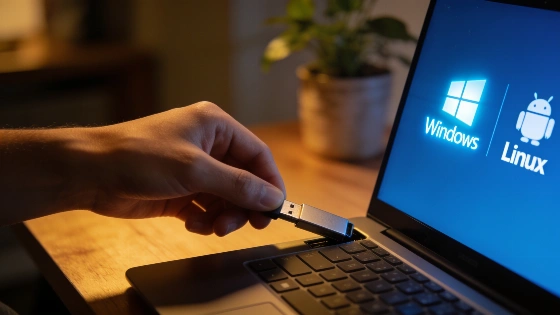
Rufus has quietly become a lifeline for users looking to reinstall Windows, try Linux, or rescue unbootable computers. Its ability to bypass Windows 11’s strict requirements has made it indispensable for millions, offering a straightforward way to create bootable USB drives without technical hassle.
When a computer slows to a crawl or refuses to start, many users turn to Rufus—a lightweight, free utility that has transformed how people breathe new life into aging PCs. Without fanfare or major advertising, Rufus has become a staple for both technicians and everyday users, with its developer estimating over 200 million uses since launch and around 3 million downloads each month in 2023.
Rufus is designed for one clear purpose: to turn an ordinary USB stick or memory card into a bootable drive. This allows users to install Windows or Linux from scratch, repair systems that won’t boot, or simply test out new operating systems without risk. The process is straightforward: download the executable, select your USB device and ISO image, and let Rufus handle the technical details. No installation is required, and the tool automatically configures the USB for compatibility with the chosen system.
Why Rufus Matters for Windows 11
The release of Windows 11 marked a turning point for Rufus. Microsoft’s new operating system introduced strict hardware requirements, including TPM 2.0, Secure Boot, and UEFI firmware. Many otherwise functional computers were suddenly deemed incompatible, leaving users searching for solutions. Rufus responded by adding options to bypass some of these checks, making it possible to install Windows 11 on devices that would otherwise be excluded. According to the project’s documentation, these options appear in a dedicated dialog after starting the process, though some hardware limitations—such as lack of support for PopCnt or SSE4.2 instructions—remain insurmountable for the latest Windows 11 versions.
What Users Should Know Before Using Rufus
While Rufus simplifies the creation of bootable USB drives, it does not provide a Windows license or magically upgrade old hardware. Its value lies in making a technical process accessible and reducing common errors that can occur when preparing installation media. Users are strongly advised to download Rufus only from its official website and to use legitimate, unmodified ISO images to avoid security risks or boot failures. The tool’s documentation emphasizes the importance of using original Windows ISOs for best results.
Another practical point: creating a bootable USB with Rufus will erase all existing data on the drive. Users should ensure they use an empty USB stick or back up any important files beforehand.
Open Source and Ongoing Relevance
Rufus remains free, open source, and published under the GPLv3 license, with its source code available for public review. Its enduring popularity is rooted in its simplicity and reliability—qualities that have made it a go-to solution for millions facing the challenges of modern operating system installations.
For those managing older hardware or navigating the complexities of Windows 11’s requirements, Rufus offers a practical, trustworthy way to keep computers running without unnecessary obstacles.