
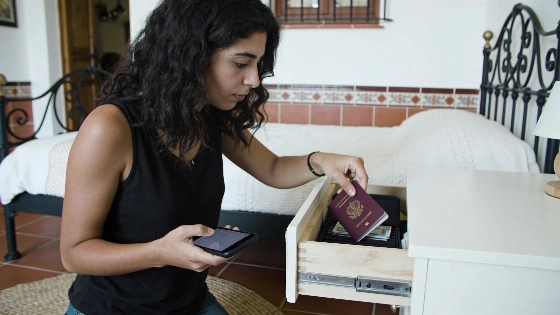
Google is adding a way for Android users to save where they put essentials such as passports and spare keys, without Bluetooth tags or other tracking devices. The feature, arriving with Android 16, stores the location in Find Hub based on user input.
With Android 16 or later, users can save an impressive item’s location directly in Find Hub. They can tell Gemini where they put it and add an optional photo before saving the details to their account. Later, they can ask Gemini or check the remembered objects tab to see where they last logged the item. Google says the feature will arrive as part of the September 2026 Android Drop, built into the basic Android update rather than a separate app or device.
Android Authority reports that the new 'Remembered items' feature requires Android 16 or newer and is available only in countries where both Gemini and Find Hub are supported.
Android Authority
This takes a different approach from Apple AirTags and similar trackers. There’s no physical tag to attach or battery to replace, and nothing can be left behind as a tag. Instead, users rely on their own memory, digitized and tied to their Google account. The location doesn’t update automatically: if someone moves a passport and the user doesn’t update Find Hub, the app will still show the old location. As Ars Technica notes, this isn’t real-time tracking; users have to update the location themselves if an item moves.
Using the feature requires Android 16 or later, with active Find Hub and Gemini sessions. Both services must also be available in the user’s country. Google hasn’t set a single launch date; the update will roll out gradually as part of the September Android Drop. Availability will depend on the device and region, including manufacturer support.
For items that rarely move, such as backup documents or keys kept in a specific drawer, this digital memory could be useful. But manual updates are a clear limitation for anything that changes location often. The feature is best suited to people who want a simple way to remember where they last put something without buying extra hardware.
Find Hub was previously used primarily to locate phones, earbuds and Bluetooth tags. The update expands its capabilities, letting users manually save the location of any item directly in the app, even if it has no physical tracker.
Ars Technica
More than object memory
The September Android Drop brings other updates, too. Motion Assist, coming to Android 17, is designed to reduce motion sickness for passengers using their phones in moving vehicles. It overlays moving bubbles on the screen to help the brain adjust, though Google notes it may not work for everyone and shouldn’t be used by drivers.
Guided vision lets users share their camera feed with Gemini Live to get spoken descriptions of what’s in view, including text, menus and objects. Developed with input from blind and low-vision communities, it will be available on devices running Android 9 or later. Google says Guided vision isn’t a replacement for mobility aids or obstacle detection.
Google Messages is also getting new features. Users will be able to create and edit shopping lists or travel notes in Google Keep without leaving a chat. A new Chat theme option will let them personalize each conversation’s background and colors; the theme will be visible only to the user who sets it.
Google presents these AI-powered Android features as helpful tools, not replacements for real-time tracking or professional accessibility devices. The digital memory for objects helps users remember where they last put something, but they must update its location when it moves.